Plaseon for Windows
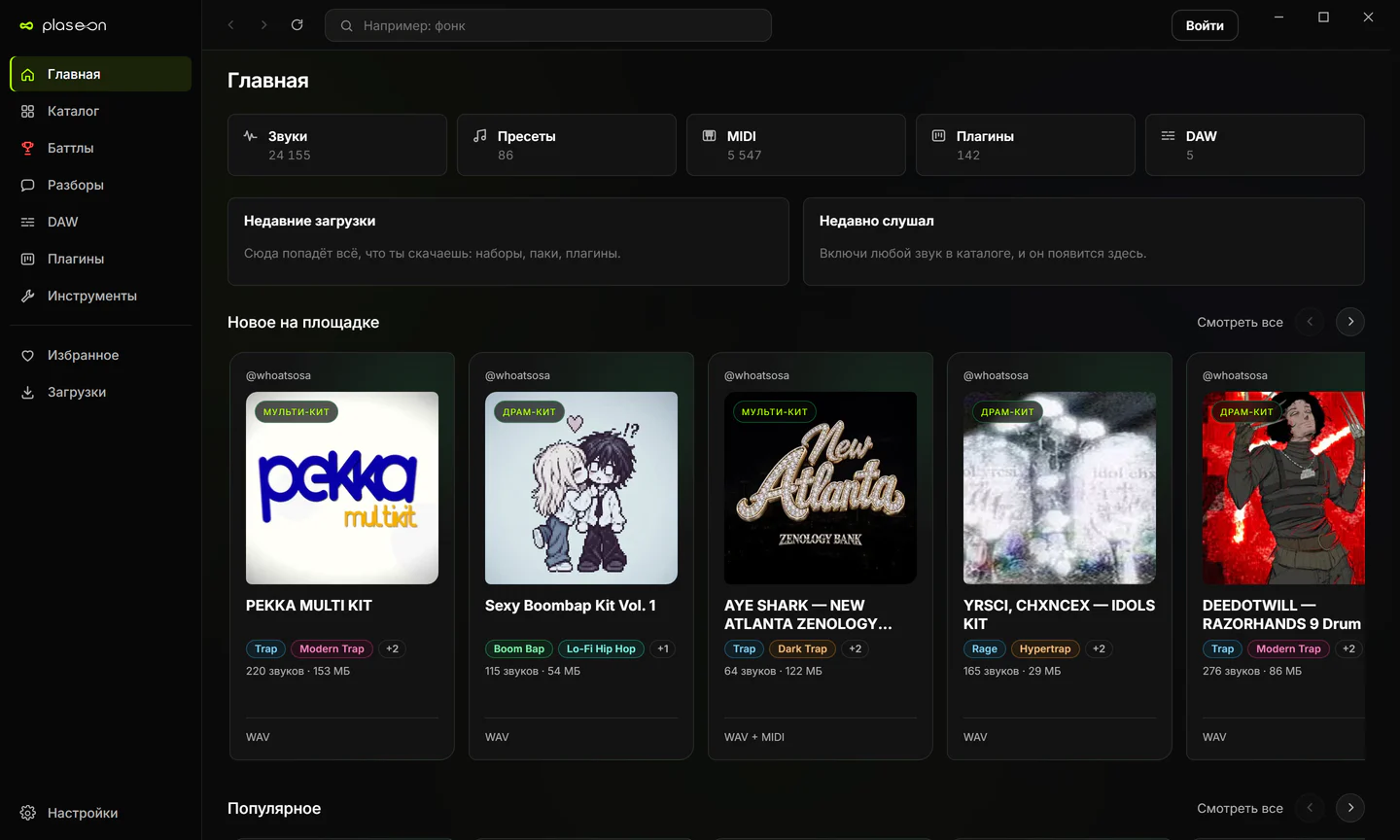
The same Plaseon in its own window: sections at hand, your own downloads list and a tray icon. The catalog and your account are shared with the site.
The app installs on a computer. Open this page there.
What’s in the app
Sections on the left
Catalog, plugins, DAWs, tools and beat battles sit in a column, like in a desktop app. Every section is one click away.
Open in the app
The “Open in the app” link on a kit or sound page opens it right in the Plaseon window.
Your own library
A downloaded kit unpacks into a folder on its own. Preview and search its sounds offline, with favorites in a separate folder.
Your own downloads
Everything you’ve downloaded is in one list, grouped by day. One click shows a file in its folder, and you pick the folder.
Updates itself
New versions install on launch. The catalog inside is the same as on the site, so new stuff shows up right away.
Tray icon
A closed window folds into an icon next to the clock (in the menu bar on a Mac) and opens from there. You can turn this off in settings.
How to install
- Click “Download for Windows”. The archive is 3.7 MB.
- Open the archive and run Plaseon-Setup.exe. Windows opens the archive itself, no extra tools needed.
- Windows may show “Windows protected your PC” because the app is new. Click “More info”, then “Run anyway”.
- Log in with the same account. The app opens your browser, where you confirm the login with one click.
Why Windows shows a warning
Windows and your browser decide whether to trust an app by two things: whether it has a publisher signature and how many people have already downloaded the file. Plaseon has neither yet. A code signature is a paid certificate issued to a company, and the app came out just days ago, so the SmartScreen filter doesn’t know it yet.
So your browser may say the file is rarely downloaded, and Windows will show “Unknown publisher” on launch. Both warnings mean the file is unfamiliar. Nobody has found a virus in it.
To make sure you get our file, download it only from this page, plaseon.com/download. You can scan the archive with your antivirus before running it. The app takes updates only from plaseon.com and checks their signature against our key, so it won’t install a tampered update.